Installation
$ pip install Django
$ django-admin startproject example
$ cd example
Now your Django projects would seem like this:
├── manage.py
└── example
    ├── __init__.py
    ├── asgi.py
    ├── settings.py
    ├── urls.py
    └── wsgi.py
Next, install package
$ pip install django-vite-boilerplate
Add django_vite_boilerplate and django_vite to the INSTALLED_APPS in example/settings.py
INSTALLED_APPS = [
    'django.contrib.admin',
    'django.contrib.auth',
    'django.contrib.contenttypes',
    'django.contrib.sessions',
    'django.contrib.messages',
    'django.contrib.staticfiles',
    'django_vite',                        # new
    'django_vite_boilerplate',            # new
]
Add code below to Django settings example/settings.py
STATICFILES_DIRS = [
    BASE_DIR / "public/static"
]

DJANGO_VITE = {
    "default": {
        "dev_mode": DEBUG,
        "dev_server_port": 3036,
        "manifest_path": BASE_DIR / "public/static/.vite/manifest.json",
    },
}
Let’s run Django command to create frontend project from the templates
$ python manage.py vite_init
  [1/3] project_slug (frontend):
  [2/3] Select style_solution
    1 - tailwind
    2 - daisy
    3 - bootstrap
    Choose from [1/2/3] (1): 1
  [3/3] Select javascript_solution
    1 - htmx_alpine
    2 - valinajs
    3 - hotwire
    Choose from [1/2/3] (1): 1
 [SUCCESS]: Frontend app 'frontend' has been created.
Now a new frontend directory is created which contains pre-defined files for our frontend project.
├── frontend
│   ├── application
├── manage.py
├── package-lock.json
├── package.json
├── vite_django_config.json
├── vite.config.js
└── requirements.txt
Frontend
Note
If you have no nodejs installed, please install it first by using below links
Using nvm I recommend this way.
# make sure node is available
$ node -v

# install dependency packages
$ npm install

$ npm run dev

  ➜  Local:   http://localhost:3036/static/
  ➜  press h + enter to show help
Load the bundle files
Let’s do a quick test on the home page.
Update example/urls.py
from django.contrib import admin
from django.urls import path
from django.views.generic import TemplateView

urlpatterns = [
    path('', TemplateView.as_view(template_name="index.html")),     # new
    path('admin/', admin.site.urls),
]
$ mkdir example/templates

├── frontend
├── manage.py
└── example
    ├── __init__.py
    ├── asgi.py
    ├── settings.py
    ├── templates
    ├── urls.py
    └── wsgi.py
Update TEMPLATES in example/settings.py, so Django can know where to find the templates
TEMPLATES = [
    {
        'BACKEND': 'django.template.backends.django.DjangoTemplates',
        'DIRS': ['example/templates'],       # new
        'APP_DIRS': True,
        'OPTIONS': {
            'context_processors': [
                'django.template.context_processors.debug',
                'django.template.context_processors.request',
                'django.contrib.auth.context_processors.auth',
                'django.contrib.messages.context_processors.messages',
            ],
        },
    },
]
Add index.html to the above example/templates
{% load django_vite %}

<!DOCTYPE html>
<html lang="en">
<head>
    <meta charset="UTF-8">
    <meta name="viewport" content="width=device-width, initial-scale=1.0">
    <title>Welcome - Django + Vite + Tailwind</title>
    {% vite_hmr_client %}
    <link type="text/css" href="{% vite_asset_url 'application/app.css' %}" rel="stylesheet" />
    {% vite_asset "application/app.js" %}
</head>
<body class="bg-gradient-to-br from-slate-50 to-slate-100 min-h-screen flex items-center justify-center">
    <!-- Hero Section -->
    <main class="max-w-4xl mx-auto px-4 sm:px-6 lg:px-8 py-12 text-center">
        <h2 class="text-4xl font-extrabold text-slate-900 sm:text-5xl sm:tracking-tight lg:text-6xl">
            Welcome to Your
            <span class="block text-indigo-600">Django + Vite Project</span>
        </h2>

        <div class="bg-slate-900 rounded-lg shadow-lg p-8 mt-12 text-left">
            <div class="flex items-center mb-4">
                <div class="flex space-x-2">
                    <div class="w-3 h-3 rounded-full bg-red-500"></div>
                    <div class="w-3 h-3 rounded-full bg-yellow-500"></div>
                    <div class="w-3 h-3 rounded-full bg-green-500"></div>
                </div>
                <span class="ml-4 text-slate-400 text-sm">Quick Start</span>
            </div>
            <pre class="text-slate-300 text-sm overflow-x-auto"><code><span class="text-pink-400"># Start Vite dev server</span>
<span class="text-green-400">npm</span> run dev

<span class="text-pink-400"># Run Django server</span>
<span class="text-green-400">python</span> manage.py runserver</code></pre>
        </div>
    </main>
</body>
</html>
We
load django_viteat the top of the template{% vite_asset "application/app.js" %}is to load js, since we have chosenhtmx_alpineas javascript, we can directly use them without importing them in Django tempalte.<link type="text/css" href="{% vite_asset_url 'application/app.css' %}" rel="stylesheet" />is to load tailwind css.
Manual Test
$ npm run dev

$ python manage.py migrate
$ python manage.py runserver
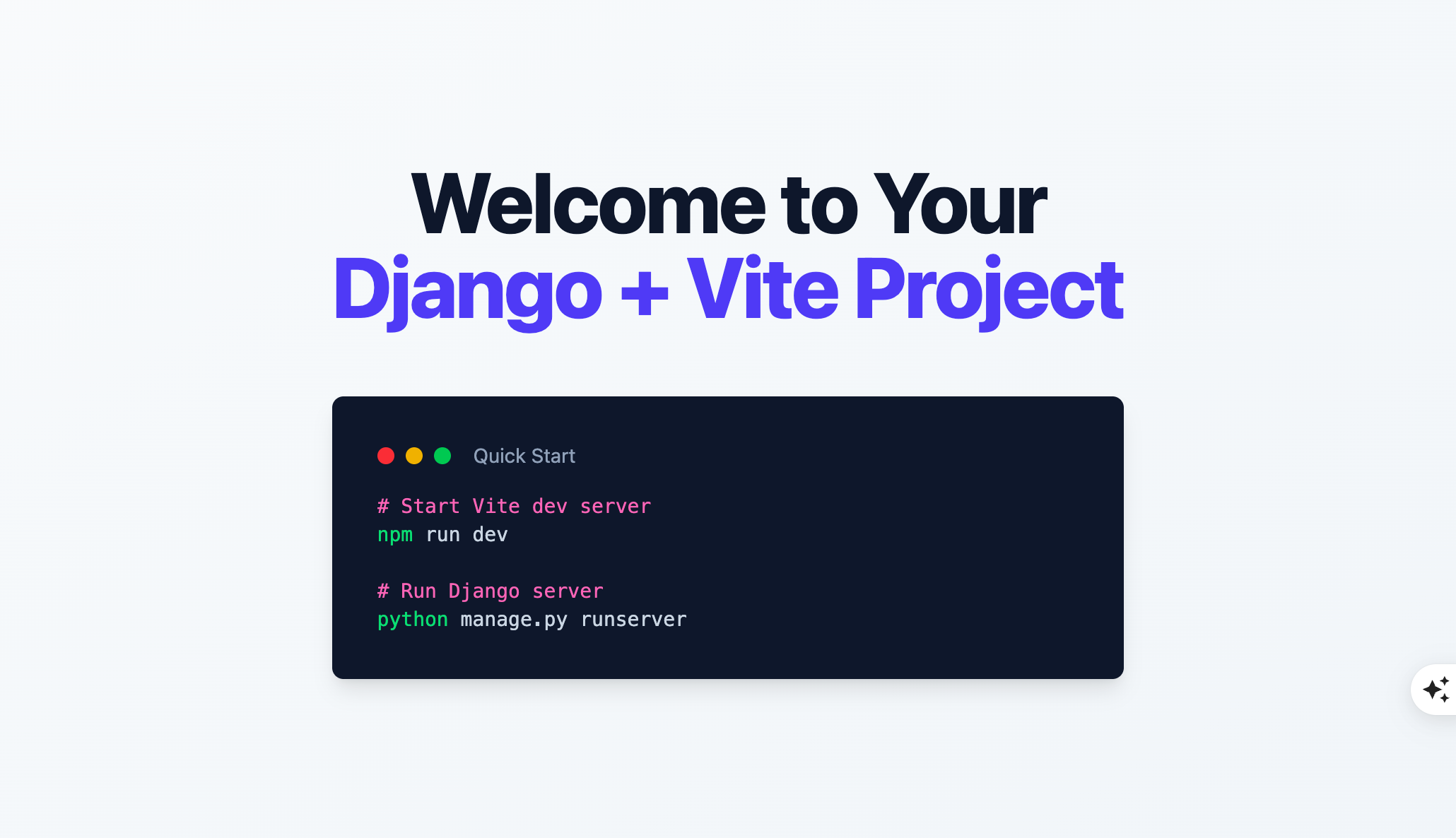
Now check on http://127.0.0.1:8000/ and you should be able to see a welcome page.
Preview